Legacy Plans (Core & Business)
If you're on a Core or Business plan, here's what you have, what you'll gain by upgrading to Individual or Professional, and how the migration works.
Written By Nira.app
Last updated 2 days ago
Prerequisites
You're an existing Core or Business subscriber. These plans are no longer offered to new customers.
Admin access is required to view upgrade options and change your plan.
What "Legacy" Means
The Core and Business plans have been superseded by Individual and Professional, respectively. They're no longer available to new customers, but if you're already on one, you can keep using it. Legacy plans continue to receive bug fixes and smaller updates — but all major new features ship only on the current plans. Recent capabilities like Gaussian Splats, LiDAR point clouds, and Compare (2D maps / 3D models) are current-plan only.
ℹ️ Note: This article is about the older Core/Business plans. If you're choosing between today's plans, see Plans & Feature Comparison.
What You'll Gain by Upgrading
The current plans offer more features and more included storage — in most cases at better value. Here's the side-by-side.
Included storage (initial)
Upgrade (add-on) pricing
The short version: current plans include at least double the storage, and additional storage is doubled at the same price — so upgrading typically means more headroom for less. The trade-off is that current plans don't offer the flat-rate or Public Gallery asset options (see below for how existing ones are handled). GP = gigapixels; M = million.
⚠️ Warning: Upgrading is one-way. You cannot switch back to Core or Business after moving to Individual or Professional.
How to Upgrade
Log in to your Nira org as an Admin.
Click the hamburger menu (upper-left) → Billing.
Click Select a Plan….
Follow the prompts to choose your new plan and confirm.
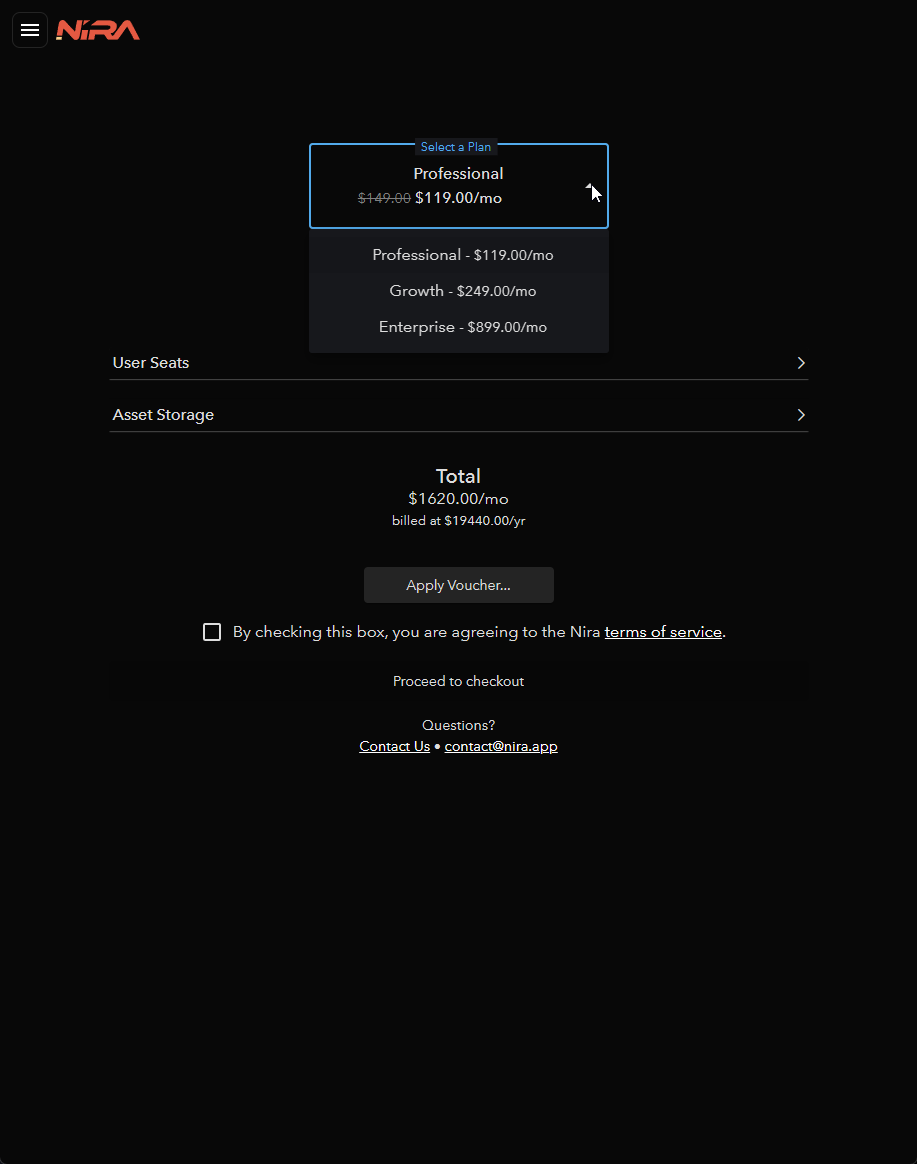
Which upgrades are allowed:
Core → Individual or Professional
Business → Professional only
What Happens to Your Existing Assets
Because legacy plans had asset types (Public Gallery, Premium flat-rate) that current plans don't, here's exactly how each is handled when you upgrade.
Public Gallery assets → On Professional, Gallery assets convert to using asset storage and gain all premium features (measurements, PDF reports, embedding, custom branding, Inspection links). They stay visible on your public homepage. Afterward, you can list or delist any asset with the Show on Public Homepage setting.
Premium flat-rate assets → These are grandfathered in. After upgrading to Professional, existing flat-rate assets do not count toward asset storage and don't increase your plan cost.
ℹ️ Note: You cannot create new flat-rate assets after upgrading. Everything uploaded on a current plan uses asset storage — which costs about half as much per unit as it did on legacy plans.
Troubleshooting
Problem: I don't see the flat-rate or Public Gallery option after upgrading.
Cause: Current plans intentionally removed asset types — every asset is now treated the same ("premium" capabilities for all).
Fix: This is expected. Use the Show on Public Homepage setting to publicly display assets the way Gallery assets worked. Existing flat-rate assets remain grandfathered.
Problem: I upgraded and want to go back to Core/Business.
Cause: Legacy plans can't be re-selected once you leave them.
Fix: This isn't reversible. If the change caused a billing problem, contact support@nira.app before your next renewal.
Problem: My Business plan won't let me pick Individual.
Cause: Business can only upgrade to Professional (it's the tier-equivalent path).
Fix: Choose Professional from the upgrade options. Only Core can move to Individual.
Problem: I'm worried upgrading will spike my bill because my Gallery assets will start using storage.
Cause: Gallery assets do begin counting toward storage on the current plan.
Fix: Review your total triangles/textures/photos against the included pools above before upgrading. Current plans include more storage and cheaper add-ons, so many accounts still come out ahead — but check large Gallery assets first. See Storage & Add-ons.
Technical Notes
Legacy plans receive bug fixes and minor updates only; no major new features.
One-way migration: Core → Individual/Professional; Business → Professional. No downgrade back to legacy.
Flat-rate assets are grandfathered (no storage cost) but can't be created anew.
No Public Gallery asset type on current plans; use Show on Public Homepage instead.
Related Articles
Plans & Feature Comparison — Current Individual vs. Professional vs. Enterprise
Storage & Add-ons — How asset storage and overages work
Managing Your Subscription — Upgrade, downgrade, and payment changes
Invoices, Receipts & Tax Documentation — Accessing billing documents